A social food map社群美食地圖
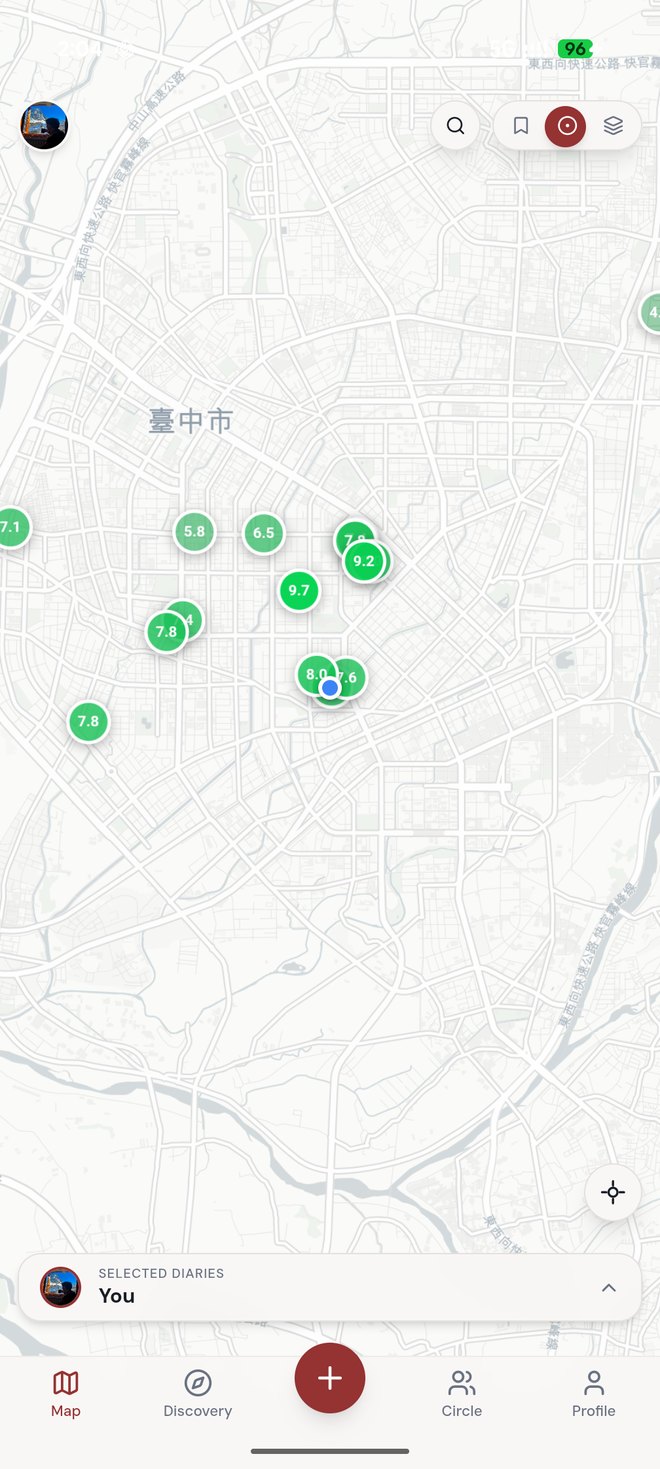
Discover and save places on a live map — yours and your friends' pins in one view.在即時地圖上發掘並收藏餐廳 — 你和朋友的標記一覽無遺。

Your food journey, mapped. 你的美食旅程,盡在地圖。
A social food map. Discover places, log every meal in seconds, share with your circle, and decide together where to eat tonight — group, agree, book. 一張屬於你和朋友的美食地圖。發掘餐廳、幾秒記錄每一餐、分享給你的圈子,並一起決定今晚吃哪家 — 揪團、達成共識、完成訂位。
iOS TestFlight beta · Free · Bilingual 中文 / English iOS TestFlight 測試版 · 免費 · 中英雙語
What is 食跡 Moments關於 食跡 Moments
Most food apps stop at reviews. 食跡 Moments closes the loop: keep your own dining log, see what friends are eating, and turn “where should we eat?” into a booked table — together. 多數美食 App 停在評論。食跡 Moments 把整個循環走完:記錄你自己的用餐足跡、看見朋友在吃什麼,並把「我們要吃什麼?」變成一桌訂好的位子 — 一起完成。
Discover and save places on a live map — yours and your friends' pins in one view.在即時地圖上發掘並收藏餐廳 — 你和朋友的標記一覽無遺。
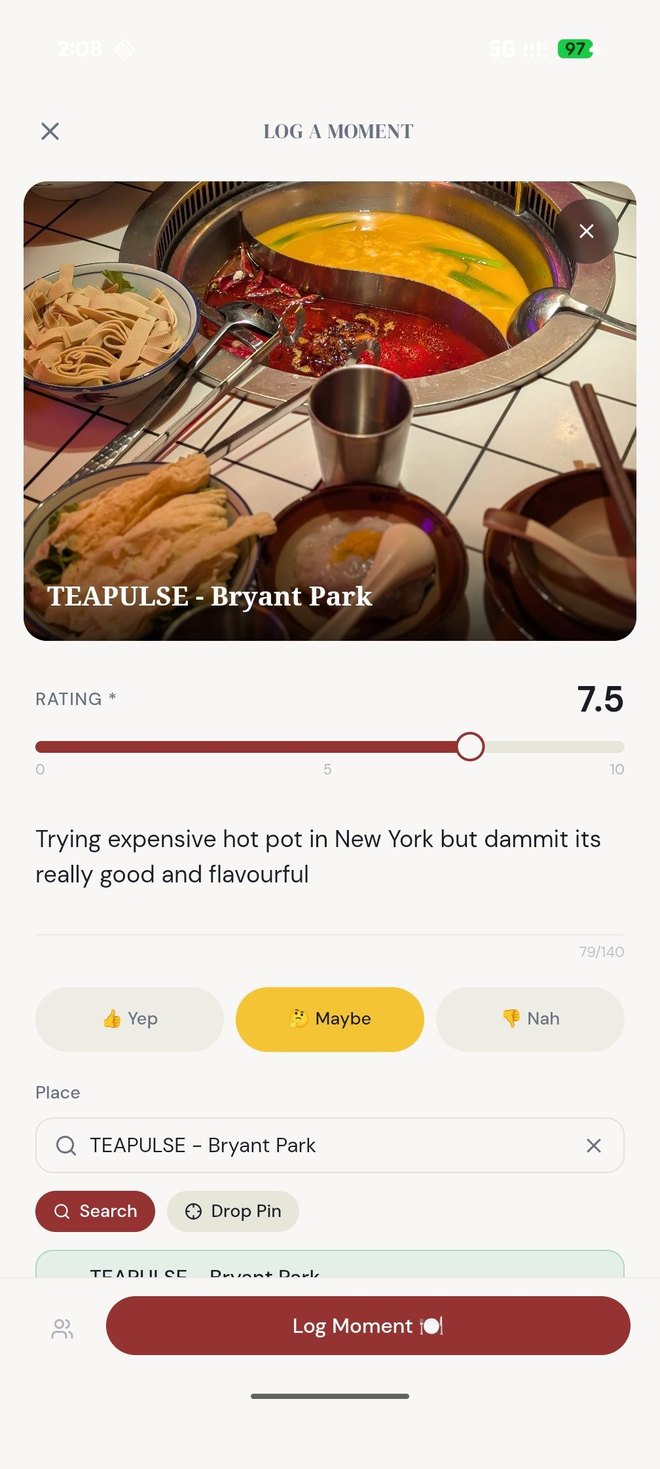
Rate 0–10, tag the cuisine and vibe, add a photo and a note. Done before the food gets cold.0–10 評分、標記菜系與氛圍、加一張照片和一句筆記。菜還沒涼就記好了。
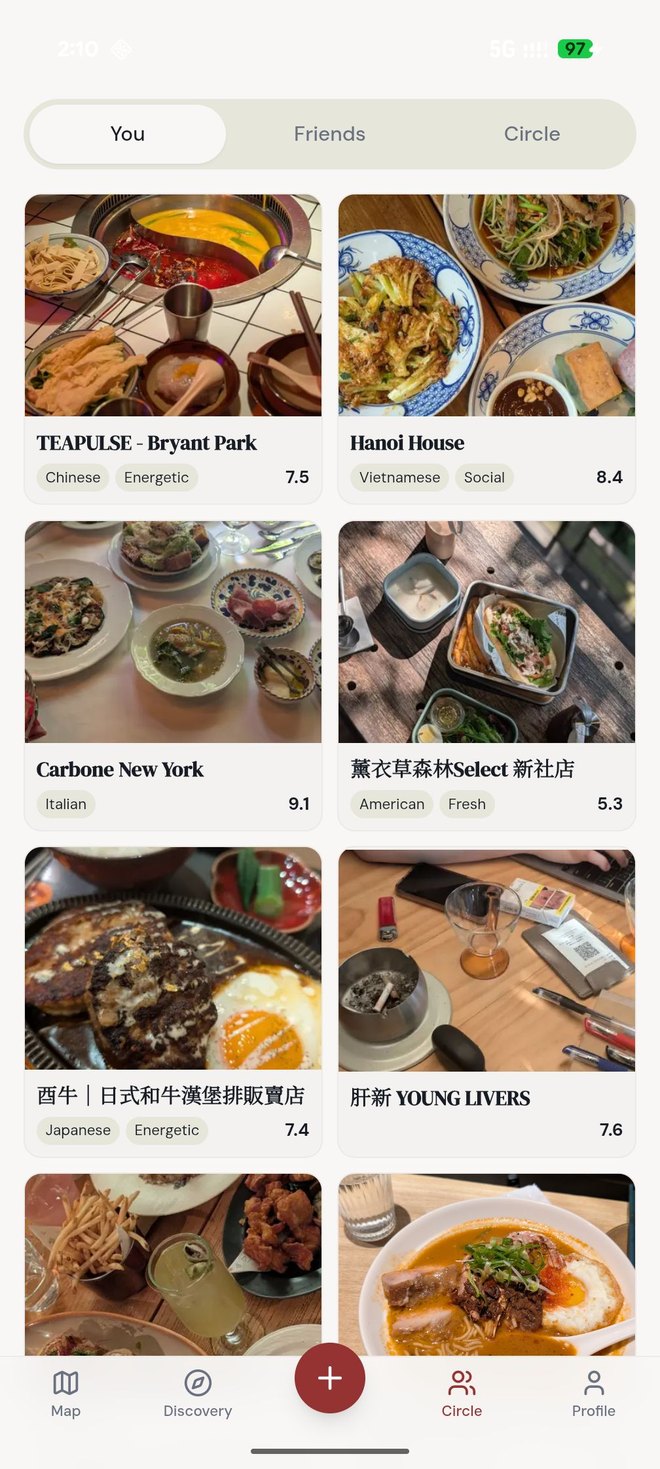
A personal diary of everywhere you've eaten — searchable, taggable, and yours.一本記下你去過每一家的個人手帳 — 可搜尋、可標籤,完全屬於你。
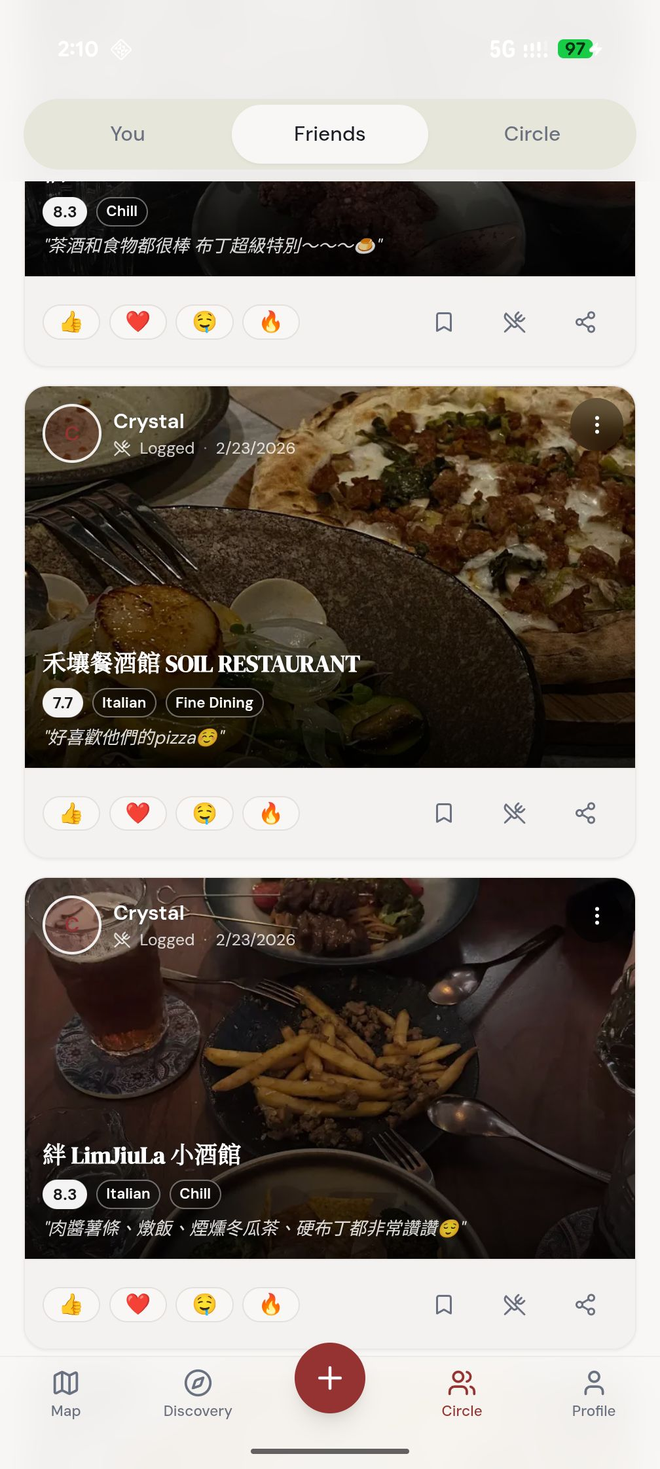
Make a circle for your crew. Share place cards, react, and keep the food talk in one place.替你的小圈圈建一個圈子。分享餐廳卡片、按讚回應,把美食話題收在一處。
Share options, vote in a poll, and the app spots when everyone agrees — then posts a “confirm & book” card.丟出選項、投票表決,App 會在大家達成共識時自動偵測 — 並送出一張「確認並訂位」卡片。
Follow what your friends are loving, react and comment, and never run out of where-to-next ideas.追蹤朋友最近愛上的店、按讚留言,下一家要去哪再也不缺靈感。
How it works如何運作
Found a great bowl of noodles? Drop a rating, a tag, and a photo in seconds. It lands on your map and your logbook.吃到一碗超讚的麵?幾秒給個評分、標籤和照片,它就會出現在你的地圖和手帳裡。
Post place cards into a circle chat, react with 👍 / 🤔 / 👎, and build a shortlist everyone can see.把餐廳卡片貼進圈子聊天、用 👍 / 🤔 / 👎 回應,一起整理出大家都看得到的口袋名單。
When the group lands on a place, 食跡 Moments posts a “confirm & book” card with the place's details and booking & contact links.當大家選定一家,食跡 Moments 會送出一張「確認並訂位」卡片,附上餐廳資訊與訂位、聯絡連結。
Beta testing參與測試
We're inviting testers in small batches. Here's how to get on board.我們正分批邀請測試者。以下是加入的步驟。
On your iPhone or iPad, get Apple's free TestFlight app from the App Store. It's how Apple delivers beta builds.在你的 iPhone 或 iPad 上,從 App Store 下載 Apple 免費的 TestFlight App,這是 Apple 派送測試版的方式。
Submit the email tied to your Apple ID in the form below. We add it to the beta and send your invite.在下方表單填入你 Apple ID 所使用的電子郵件,我們會把你加入測試名單並寄送邀請。
Tap the invite (in your email or here once the beta opens) to install 食跡 Moments through TestFlight.點開邀請(在你的信箱,或 beta 開放後在此頁面),即可透過 TestFlight 安裝 食跡 Moments。
Log a few meals, build a circle, plan a dinner. Then send feedback — straight from TestFlight (screenshot → share) or by email below.記錄幾餐、建一個圈子、揪一次聚餐。接著回報心得 — 直接從 TestFlight(截圖 → 分享),或用下方信箱。
Heads-up: this is a pre-release beta. Things may change or break, and beta data may be reset before launch. The public TestFlight link will appear here the moment it's live. 請注意:這是上線前的測試版。功能可能變動或出錯,測試資料也可能在正式上線前被重置。公開的 TestFlight 連結一旦開放就會出現在此處。
Sign up報名
Drop the email associated with your Apple ID. We'll email your TestFlight invite when the next batch opens.留下你 Apple ID 所使用的電子郵件。下一批開放時,我們會把 TestFlight 邀請寄到你的信箱。
Questions, press, or anything else — we read every message.問題、媒體合作或任何其他事情 — 每封信我們都會看。
片刻有限公司 · Food Moments Ltd · Taichung, Taiwan台灣台中
Found a bug or have an idea? Two ways to reach us:遇到問題或有點子?兩種方式聯絡我們: